CARVIN
Moderate6 min5 steps·Original on iFixit ↗

WowWee CHiP Robot Dog Smart Watch Battery Replacement

Tools (2)

Step-by-step instructions

Step 1 · photo 1Step 1 · photo 2
1
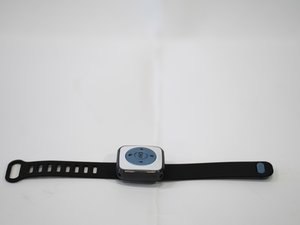
  • Place the Smart Watch on its back or side so that the full watch band is visible.
Step 2 · photo 1
2
  • Remove the wrist strap by gently pulling the band off of the plastic pegs on the back of the watch.
Step 3 · photo 1
3
  • Remove the four screws in the back of the watch using a Phillips #0 screwdriver.
Step 4 · photo 1
4
  • Gently pull off the back side of the watch component.
Step 5 · photo 1
5
  • Pull the battery and motherboard component out.

Conclusion

To reassemble your device, follow these instructions in reverse order.

Guide content belongs to iFixit, license CC BY-NC-SA. Open original

Замена батареи умных часов WowWee CHiP Robot Dog — Carvin Garage · Carvin