CARVIN
Easy10 min7 steps·Original on iFixit ↗

2011-2016 Ford Super Duty Tail Light and Bulbs Replacement

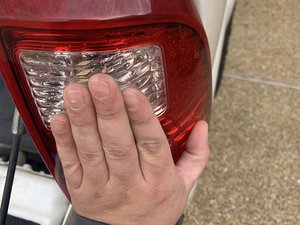
This guide will show you the proper way to install new light bulbs in the tail light housing of your 2011-2016 Ford Super Duty pickup truck. This fix will need to be done when one or multiple of your taillight bulbs have gone out. Please make sure the vehicle is in park and on a solid surface. This will take about ten minutes to complete and is a fairly simple and straightforward process.
Tools (2)

Parts (2)

Step-by-step instructions

Step 1 · photo 1Step 1 · photo 2
1
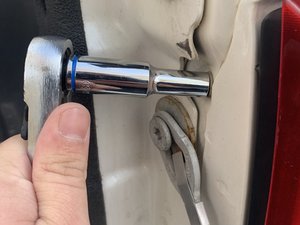
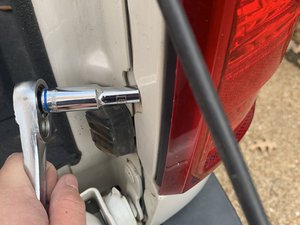
  • Locate the two 8 mm screws that attach the taillight housing to the vehicle.
Step 2 · photo 1Step 2 · photo 2
2
  • Using a socket and ratchet wrench, remove the two screws facing the inside of the bed that you located in Step 1.
Step 3 · photo 1Step 3 · photo 2
3
  • Pull the light housing outward at an angle away from the truck.
Step 4 · photo 1Step 4 · photo 2Step 4 · photo 3
4
  • Twist the light socket in a counterclockwise motion to remove the bulbs.
Step 5 · photo 1Step 5 · photo 2Step 5 · photo 3
5
  • Insert a new bulb.
  • Place the light bulb socket back in the hole and turn clockwise until it's locked in place.
Step 6 · photo 1Step 6 · photo 2Step 6 · photo 3
6
  • Line up the taillight housing with the holes and guides, and push it into place.
Step 7 · photo 1Step 7 · photo 2Step 7 · photo 3
7
  • Use a socket and ratchet wrench to tighten the screws back into the taillight housing.

Conclusion

To reassemble your device, follow these instructions in reverse order.

Guide content belongs to iFixit, license CC BY-NC-SA. Open original