CARVIN
Very easy3 - 5 min8 steps·Original on iFixit ↗

How to Replace the Batteries in a Kwikset Home Connect 620 Smart Lock

Replacing the battery in a Kwikset Home Connect 620 Smart Lock is a straightforward process that most people can accomplish at home.

This process presents little opportunity for injury. Even the most novice DIY-er should have no problems following the instructions and performing the repair.

Tools (1)

Parts (1)

Step-by-step instructions

Step 1 · photo 1Step 1 · photo 2Step 1 · photo 3
1
  • Remove the three (3) M3 x 6mm screws that secure the faceplate using a #1 Philips screwdriver.
  • Left side
  • Right side
  • Bottom
Step 2 · photo 1Step 2 · photo 2Step 2 · photo 3
2
  • Remove the faceplate from the lock mechanism by pulling straight out.
Step 3 · photo 1Step 3 · photo 2Step 3 · photo 3
3
  • Remove the battery pack from the lock mechanism by pulling straight up.
Step 4 · photo 1Step 4 · photo 2Step 4 · photo 3
4
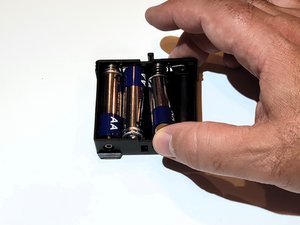
  • Remove the batteries from the battery pack.
Step 5 · photo 1Step 5 · photo 2Step 5 · photo 3
5
  • Insert new batteries into the battery pack.
Step 6 · photo 1Step 6 · photo 2Step 6 · photo 3
6
  • Insert the battery pack back into the lock mechanism by pushing straight down.
  • ''Make sure the label is facing outward.''
Step 7 · photo 1Step 7 · photo 2Step 7 · photo 3
7
  • Reattach the faceplate to the lock mechanism by pushing straight in.
Step 8 · photo 1Step 8 · photo 2Step 8 · photo 3
8
  • Reattach the three (3) M3 x 6mm screws that secure the faceplate using a #1 Philips screwdriver.
  • Bottom
  • Right side
  • Left side

Conclusion

That's it! Your Kwikset Home Connect 620 Smart Lock should now be working properly.

Guide content belongs to iFixit, license CC BY-NC-SA. Open original