CARVIN
Moderate30 minutes - 1 hour6 шагов·Оригинал на iFixit ↗

2013-2015 Chevrolet Malibu Factory BackUp Camera Replacement

This guide demonstrates how to replace a factory-installed backup camera in a 2013 Chevy Malibu. This guide is different than most because this camera is already installed, the cables are all routed already and that makes the guide that much simpler. Remember to work safely when dealing with any exposed wires, and work with the car off (keys out of ignition). Since no technology lasts forever, even factory-installed technology can fail. If the OEM backup camera in your 2013-2015 Chevrolet Malibu stops working, follow this guide to replace it.

Инструменты (2)

Пошаговая инструкция

Шаг 1 · фото 1Шаг 1 · фото 2Шаг 1 · фото 3
1
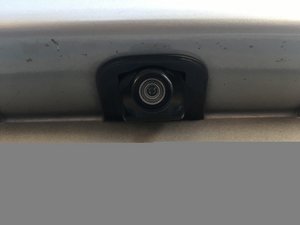
  • Mount the new camera in the space provided.
  • The camera routes through the bumper of the car and not the license plate.
Шаг 2 · фото 1Шаг 2 · фото 2Шаг 2 · фото 3
2
  • Run the new wires through the holes provided, and cover with electrical tape.
  • The new cords will simply connect where the faulty wires were removed.
Шаг 3 · фото 1Шаг 3 · фото 2Шаг 3 · фото 3
3
  • Coordinate the colored wires to keep the repair simple. Match the new wires to the existing wires through the splitter. Use a wire splitter to expose the wire.
  • Then simply connect the wires to the wires for reverse light.
Шаг 4 · фото 1
4
  • The green wire is the camera connection or positive wire and the black is the ground.
  • This line should already be connected correctly because you should have only switched wires that connected to the camera.
Шаг 5 · фото 1
5
  • Make sure that the reverse light is working properly when the car is in reverse.
Шаг 6 · фото 1
6
  • Make sure the display is clear and working properly.

Завершение

To reassemble your device, follow these instructions in reverse order.

Контент гайда принадлежит iFixit, лицензия CC BY-NC-SA. Открыть оригинал